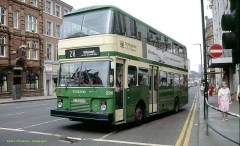
Back when all buses in Nottingham were green, except for scummy Camms ones!
Here’s one for the folk of Nottingham, particularly those who grew up as kids in the 80s and possibly 70s too. Big wooden animals in shopping centres that doubled as children’s entertainment? Can you remember them? For reasons best known to my subconscious these were thrown into my mind today.
Most clearly I can remember a big wooden grasshopper, which I think had a slide built into it, that I best remember being in a side-room upstairs in the Broadmarsh Centre in Nottingham designed for children to be entertained in presumably whilst their parents perused the shops. I imagine the shops weren’t all discount stores or emporiums of crap like it it is today.
Upon mentioning it to a colleague, he recalled the grasshopper being ‘in the wild’ – out in the shopping centre itself, he also recalled a Caterpillar, a Horse and a Frog along similar lines. Yet another friend who I raised the topic with mentioned the grasshopper being in the other shopping centre – near where HMV is today (before it was extended to include ‘House of Fraser’ section that it has now). When he mentioned it, it stirred possibly earlier memories of it being there, or maybe I just visualised it, I’m not sure.
That led me inexorably to remembering the pirate ship upstairs at McDonalds on Clumber Street, beloved of children’s parties. When I was a kid I honestly don’t recall ever going to McDonalds except for birthday parties – back then it sold root beer too, and they had sinister men dressed up as Ronald McDonald and the Ham Burglar to add to the party spirit. I’m still not a big McDonalds eater now, although I don’t imagine it’s still up there now. I can vaguely recall that there wasn’t actually that much seating in the ship itself, and should you manage to snag one you were in an enviable position indeed!

Can anyone else remember these things? Do you have any photos? The best I could find was this low-res picture of the Caterpillar from the Broadmarsh Centre that has been renovated and now lives in a school. Is the grasshopper still there in a room off the upstairs shopping mall? I imagine it as being absolutely massive, but then I was quite small when I last saw it so it probably isn’t all that big.
I’ve no idea why I’ve such a hankering to see a picture of it – initially I wondered whether I’d completely made it up, having had the existence validated by friends and colleagues I was surprised to not find any reference to it on the internet, unlike the other animal Broadmarsh celebrity – the Gordon Scott swinging monkey, who now apparently lives in their new shop on Lister Gate. I’m sure his extraction from the shopping centre led directly to it being so dilapidated and rubbish.
He even has his own Facebook group!
I was a big fan of seeing him too, maybe he was the foundation of my love of all things primate to this very day. It’s decidedly possible! So, over to you, if you found this by searching for the lost animals of the 70s, 80s and possibly 90s of Nottingham’s shopping centres, then feel free to share your recollections – and if you have pictures, well, you’ll just be the most awesome person ever!
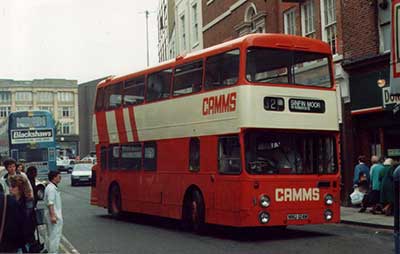
Since I mentioned them in passing above, I found this old photo of a Camms bus in orange livery – this one’s in Derby, which is a more appropriate location for it – when I was a kid they were roundly derided as an inferior provider of transport – indeed, it was the height of insulting somebody to suggest that they succumbed to the company’s slogan: ‘Catcha Camms’
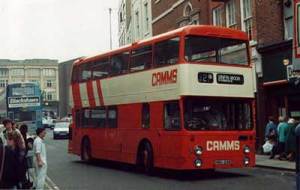
Camms Collapsibles!
For the eagle-eyed there’s a photo with the caterpillar featured in situ in the Broadmarsh Centre (up near the still-existing Wimpy) at the bottom of this page. (thanks to Thom for spotting this – I found the page earlier but didn’t identify the wooden creature in the snap!)


 Whilst the weekend has focused around what would have been an insincere-gesture-at-best that ultimately didn’t happen (the Suarez/Evra handshake), I’ve had a pretty good weekend, all told – although that it’s drawing to an end is as ever sad news.



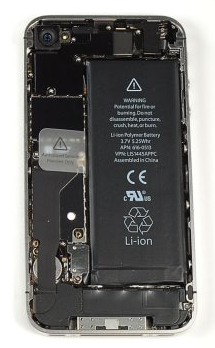
 Looking on the internet there’s quite a few instances of a ‘sticky home button’ with iPhones, and as with all such things, lots of solutions! The home button is of course the staple control method so takes a lot of hammer in general use. Mine had started to become quite unresponsive – albeit not all the time – but increasingly so. An unresponsive home button renders an iPhone rather useless, so it’s a real frustration.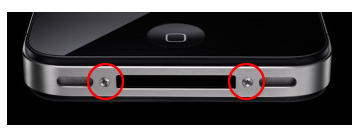
 I had another one of those ‘did I imagine that?’ flashbacks to childhood. This time Google bore out plenty of contemporary references to it, so it’s not just me. For us it was a staple of Primary School aged birthday parties, for others it seems to have even been a playground game (who needs extra playground games when you can play British Bulldog?!)…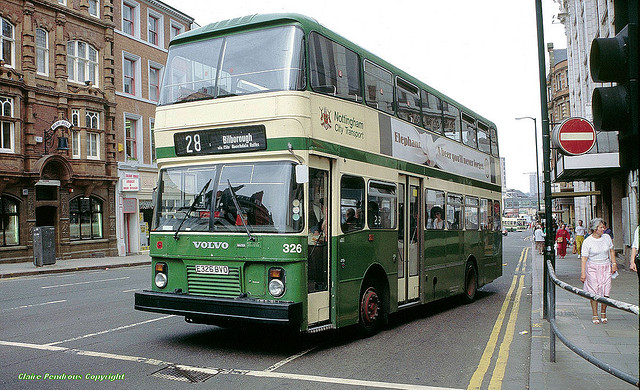


Recent Comments